AI on your key · Pro
Ask Claude about your numbers. On your own key.
Three things, and only three: a plain-English read of your planner, market context with sources, and a receipt that fills in an expense. You bring the key, Grownz seals it.

What it does
Three capabilities, one key.
The grid is not padded. If a capability is not here, Grownz does not have it.
Read my numbers
A plain-English read of your planner in under 120 words. Facts about your numbers only, no product recommendations.
Market context
Deposit rates, bond yields and recent central-bank moves where you live, with sources. At most 3 searches per answer.
Read a receipt
A receipt in the vault pre-fills the expense form. You review and submit. Nothing is saved on its own.
Your own key
Paste an Anthropic key. Grownz seals it with a server secret, never logs it, shows only the last 4 characters. You pay Anthropic directly.
Bring your own key
Your key, your bill, your call.
- 1
Create a key
At console.anthropic.com, on your own account.
- 2
Paste it once
On the Ask Claude screen. Grownz seals it with a server secret before it is stored.
- 3
Use the three capabilities
Read my numbers, Market context, and receipts that pre-fill expenses.
- 4
Remove it any time
One button. The sealed copy is deleted.
Your key
sk-ant-••••••••••••••••••••••••••••••••k4Qz
Sealed. Only the last 4 characters are ever shown. Example.
Read my numbers
Under 120 words. Facts about your freedom ratio, gap and net worth. No recommendations. Shown once, not stored.
In the app today
Ask Claude, on a phone.
The assistant screen keeps the plain-English read of your numbers and the sealed-key promise on one screen, with Pro named once.
- A plain-English read of your own numbers, under 120 words
- Your own Anthropic key, sealed before it is stored
- Part of Pro, said once
Real screens from the app, captured on 23 September 2026 from a demo household. Names and figures are examples.
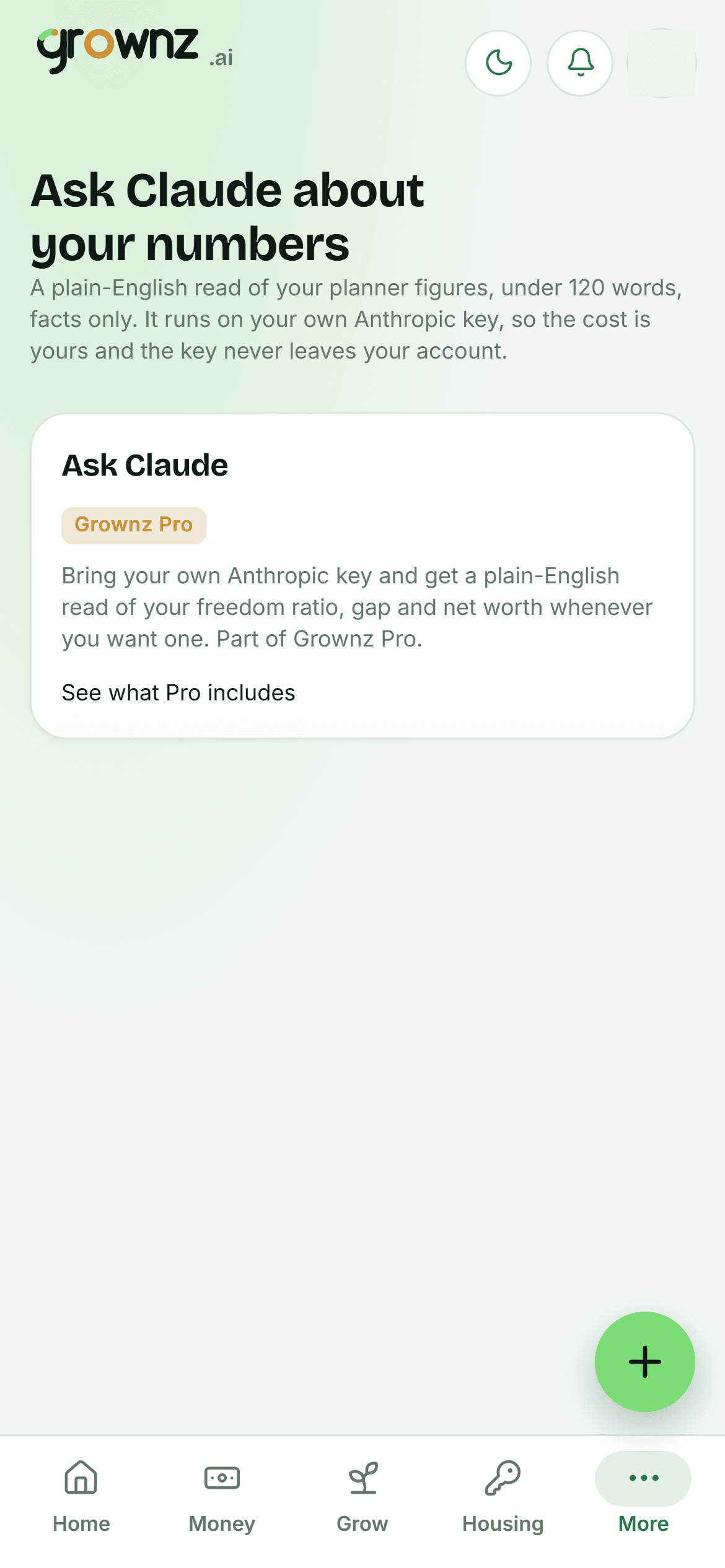
Ask Claude, on your own key
Guardrails
What Claude is not allowed to do.
These are rules in the code, not promises in the copy. Each one points at where it lives.
Facts only
The system prompt allows facts about your numbers and nothing else. No product recommendations, no instructions to buy or sell.
Never recommends an investment
Market context returns rates, yields and central-bank moves with sources. It does not say what to do with them.
Nothing saved automatically
Explanations are shown, not stored. A receipt pre-fills a form that you review and submit.
Derived numbers only
Claude receives planner figures, never your notes or documents, which closes the door on prompt injection through your own text.
Your key, sealed
Encrypted with a server secret before storage, never logged, last 4 characters shown, removable at any time.
No metering, no upsell
You pay Anthropic directly for what you use. Grownz adds no AI charge and sets no quota beyond 3 searches per market answer.
Questions
About AI in Grownz.
Which plan includes AI?
Pro. Paste your Anthropic key on the Ask Claude screen and the three capabilities switch on.
Where do I get a key?
From console.anthropic.com. It is your account and your bill; Grownz never sees the charges.
What does Claude see?
Derived numbers from your planner: freedom ratio, gap, net worth and similar. Never your notes, never your documents, except the one receipt you ask it to read.
Can I remove the key?
Yes, from the same screen, at any time. The sealed copy is deleted.
Is any of this financial advice?
No. Read my numbers explains figures you already have. Market context reports facts with sources. Neither recommends an investment.

Your numbers, explained.
On your own key.
Part of Pro. No AI upsell. Remove the key any time.
