Family · the More tab
Share what you choose, and only that.
One household, several people. The owner mints a code, picks the areas a viewer can see and whether they see amounts at all.
- Code length8 characters
- Code expiry7 days
- Sharing areas7


What is inside
Three things Family does, on real screens.
Free has no family seats. Plus includes 1 seat, Pro includes 5.
See it move
What it feels like, in motion.
A real flow replayed with example figures. Nothing here is an app screen; the screens above are the real ones.
Invite a viewer
Owner sees
Rent ₹28,000
Viewer, summary
Rent ₹28,000
Rent ••••••
In the app today
Family sharing, area by area.
What a viewer can see, switched on one area at a time, in summary or full amounts. Everything else is grouped by how often you need it.
- Each area switched on separately
- Summary or full amounts, per person
- Nothing shared until ticked, removed any time
Real screens from the app, captured on 23 September 2026 from a demo household. Names and figures are examples.
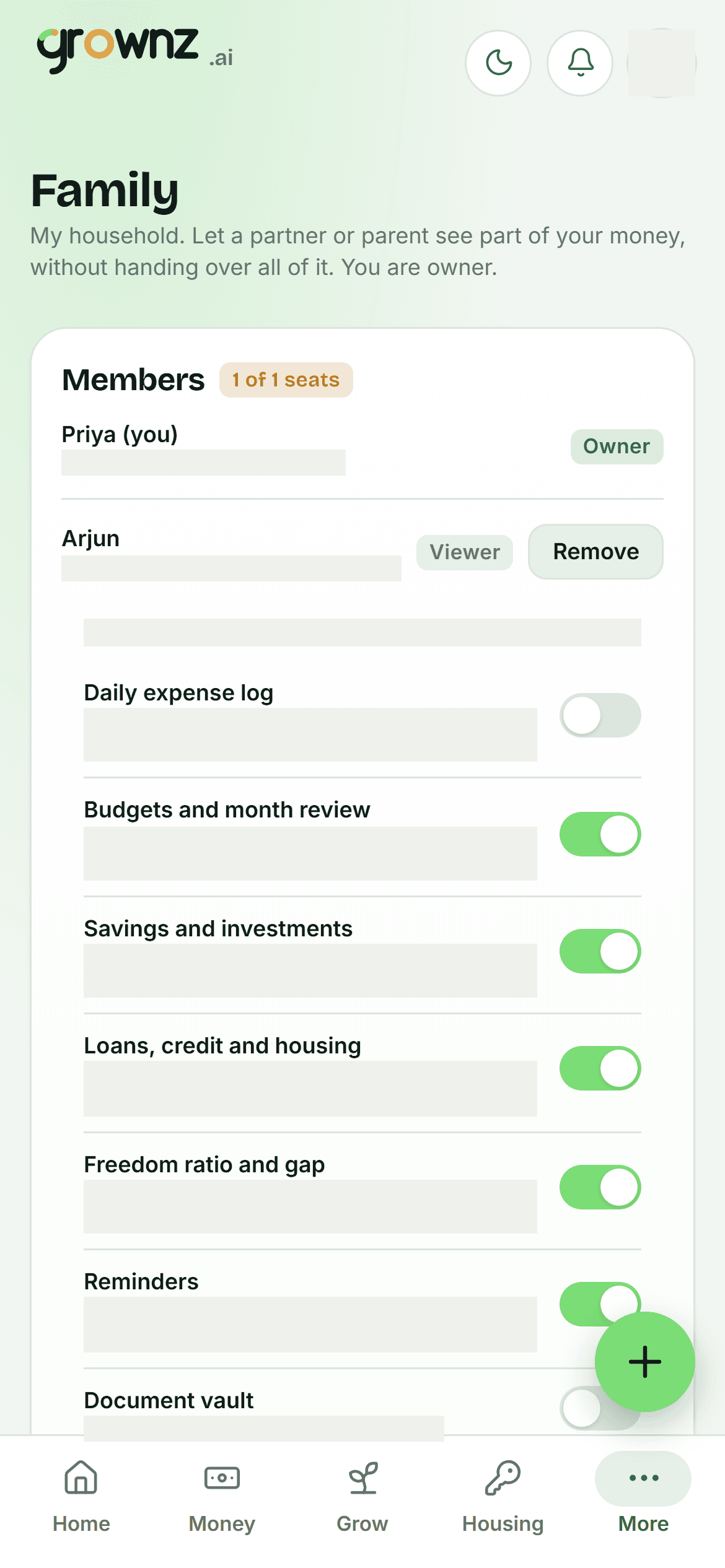
Family: what a viewer can see, area by area
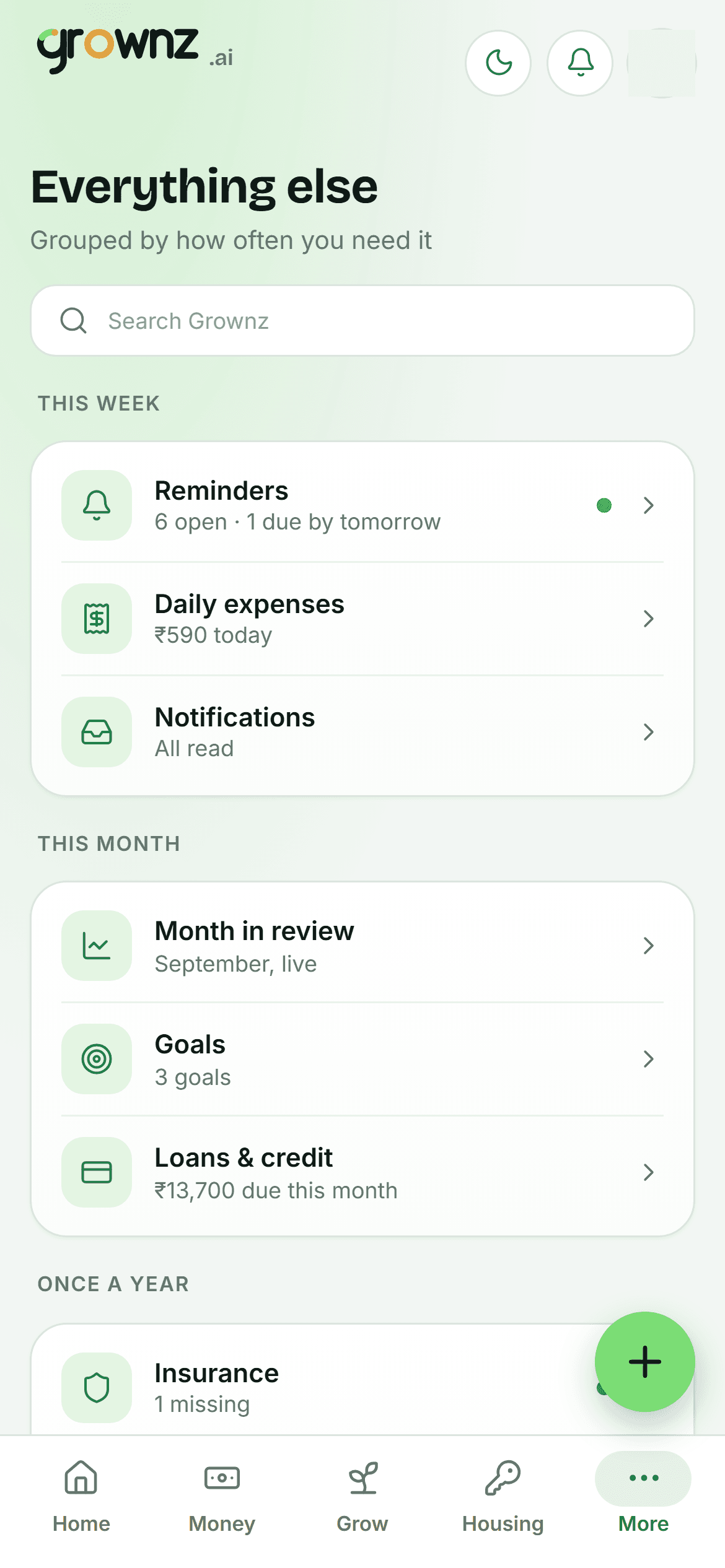
Everything else, grouped by how often you need it
Where it fits
Built for stage 3, useful from stage 1.
Family sharing suits any stage. Households in Growing and beyond use it most for a partner or a parent.
- First Job
- Getting Stable
- Growing
- Building Wealth
- Big Commitments
Questions
About Family.
What is the difference between a member and a viewer?
Members see everything and can add to it. Viewers see only the areas the owner switches on, at the detail the owner picks, and can never edit.
Can a viewer see amounts?
Only if the owner chooses full detail. In summary mode every amount is blanked server-side, so it never reaches the viewer’s browser.
How do I remove someone?
From the Family screen. Their access ends immediately. Invite codes can be revoked before they are used.

