Life admin, in stages
Five stages. Nine milestones. One celebration each.
You pick a stage at sign-up. Grownz tracks the milestones that unlock the next one and tells you what is left, on Home, every day.

- First Job
- Getting Stable
- Growing
- Building Wealth
- Big Commitments

Stage 1 of 5
First Job
Earning for the first time, sorting out the basics.
Everyone starts here. A payslip with a gross and a net figure, a base currency, and the habit of logging what you spend. Grownz asks about ten quick questions at sign-up, each with its reason, and nothing else.
Where everyone starts
No milestones needed. Pick it at sign-up and go.


Stage 2 of 5
Getting Stable
Bills under control, starting to save.
Budgets for every category, bills that raise their own reminders, and a first month closed in Month in Review. The savings rate appears for the first time.
Unlocks when
- Profile and base currency set
- First expense logged


Stage 3 of 5
Growing
Saving steadily, thinking about what comes next.
An emergency fund takes shape and the Rat Race Exit Planner starts to matter. Month in Review names the largest overspend and the best-controlled category each month.
Unlocks when
- Budgets set for every category
- First month closed
Read: Rent vs Buy: the real math · Term life vs everything else


Stage 4 of 5
Building Wealth
Emergency fund and insurance in place, assets growing.
Holdings across 10 asset classes, cover across 4 policy types, and a first asset that pays. The freedom ratio moves from starting to building.
Unlocks when
- Emergency fund complete
- Insurance floor complete


Stage 5 of 5
Big Commitments
A home, a family, or a business on the horizon.
A down payment funded, a home loan understood month by month, family sharing for a partner or parent, and a freedom ratio climbing past 25% toward the Rat Race Exit.
Unlocks when
- First income-paying asset added
- Freedom ratio above 25%
- Down payment fund complete


In the app today
Stages are the spine of the app.
You pick your stage while setting up, one question per screen. From then on every tab knows what unlocks the next one, and the inbox tells you the moment a milestone lands.
- Setting up asks where you are in life, never for a bank login
- Your journey shows what each stage still needs
- Milestones arrive in the inbox the moment they land
Real screens from the app, captured on 23 September 2026 from a demo household. Names and figures are examples.
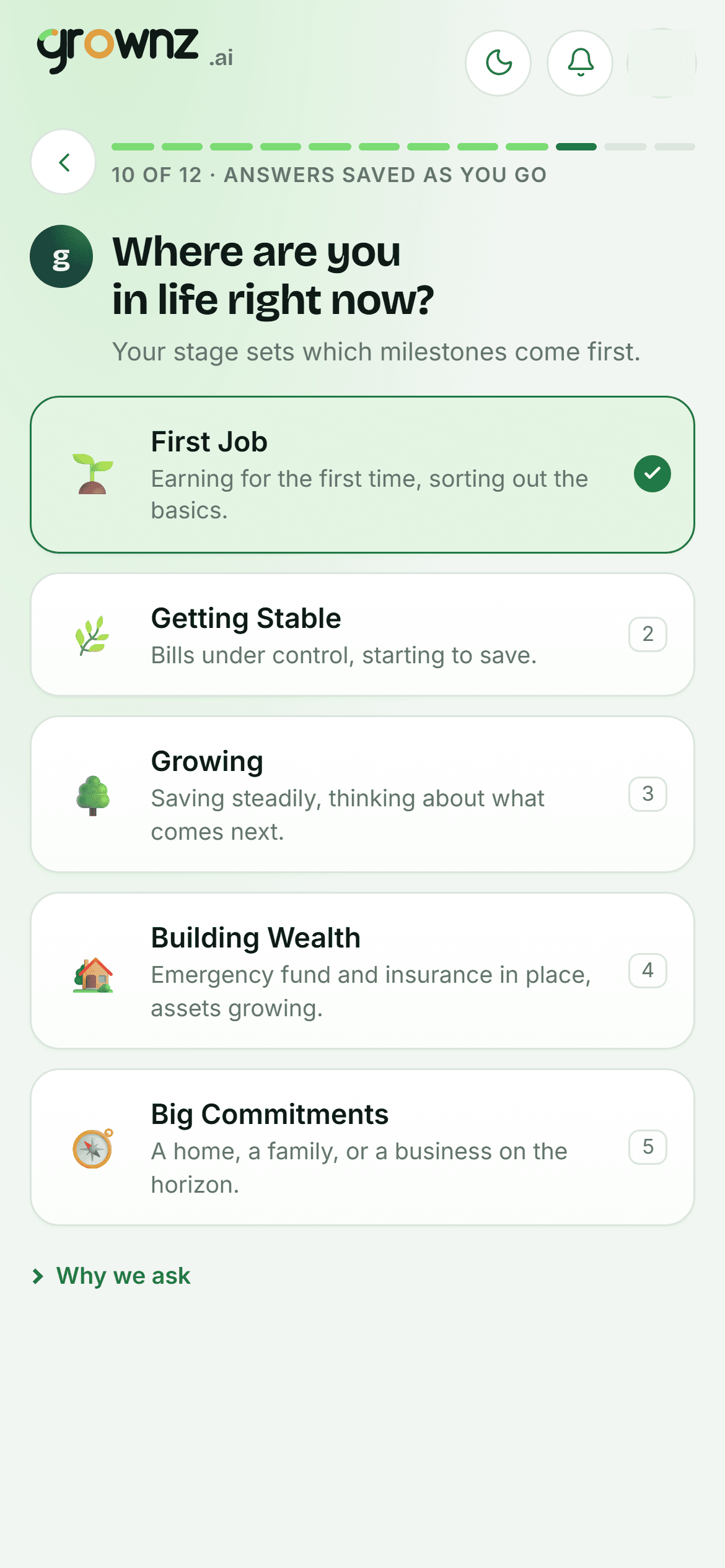
Setting up: one question per screen
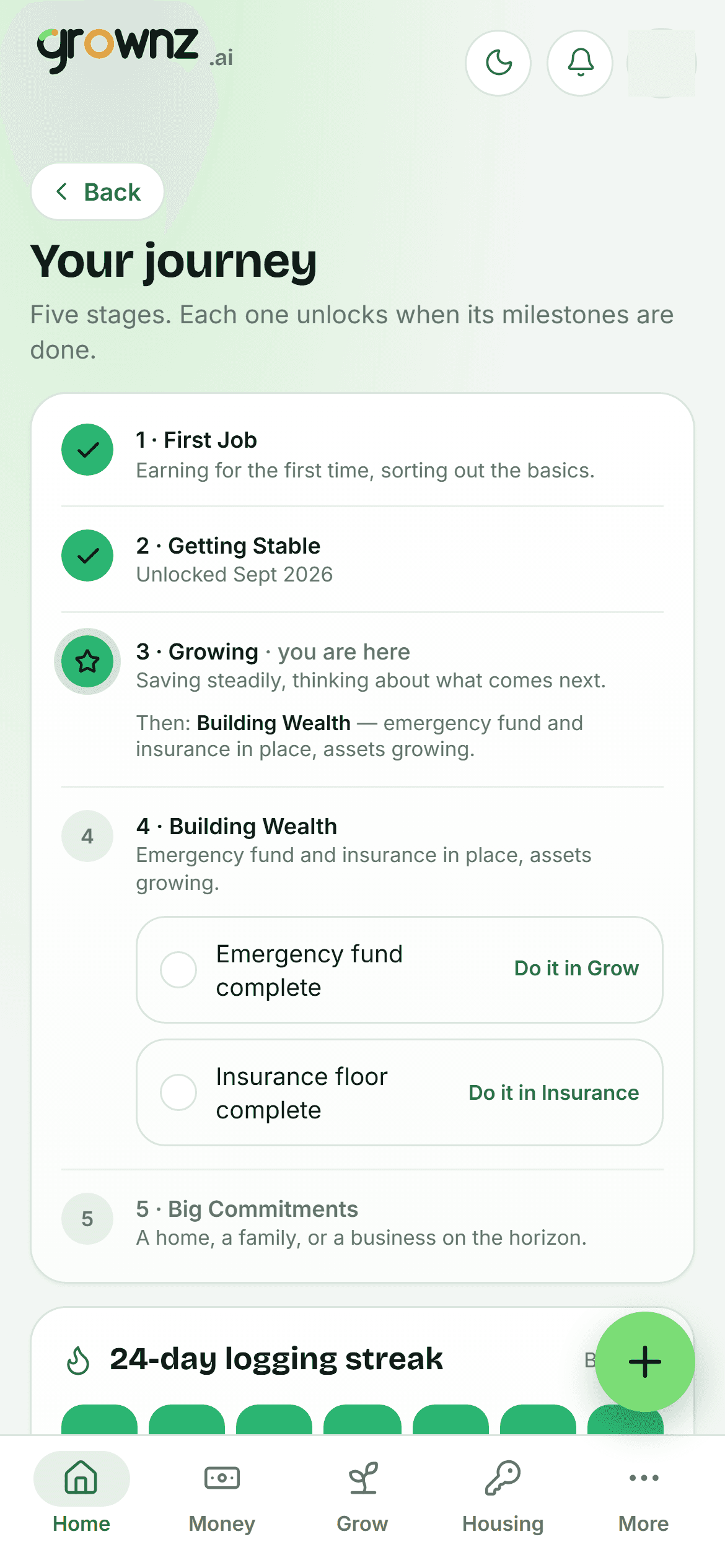
Your journey: five stages and what each one needs
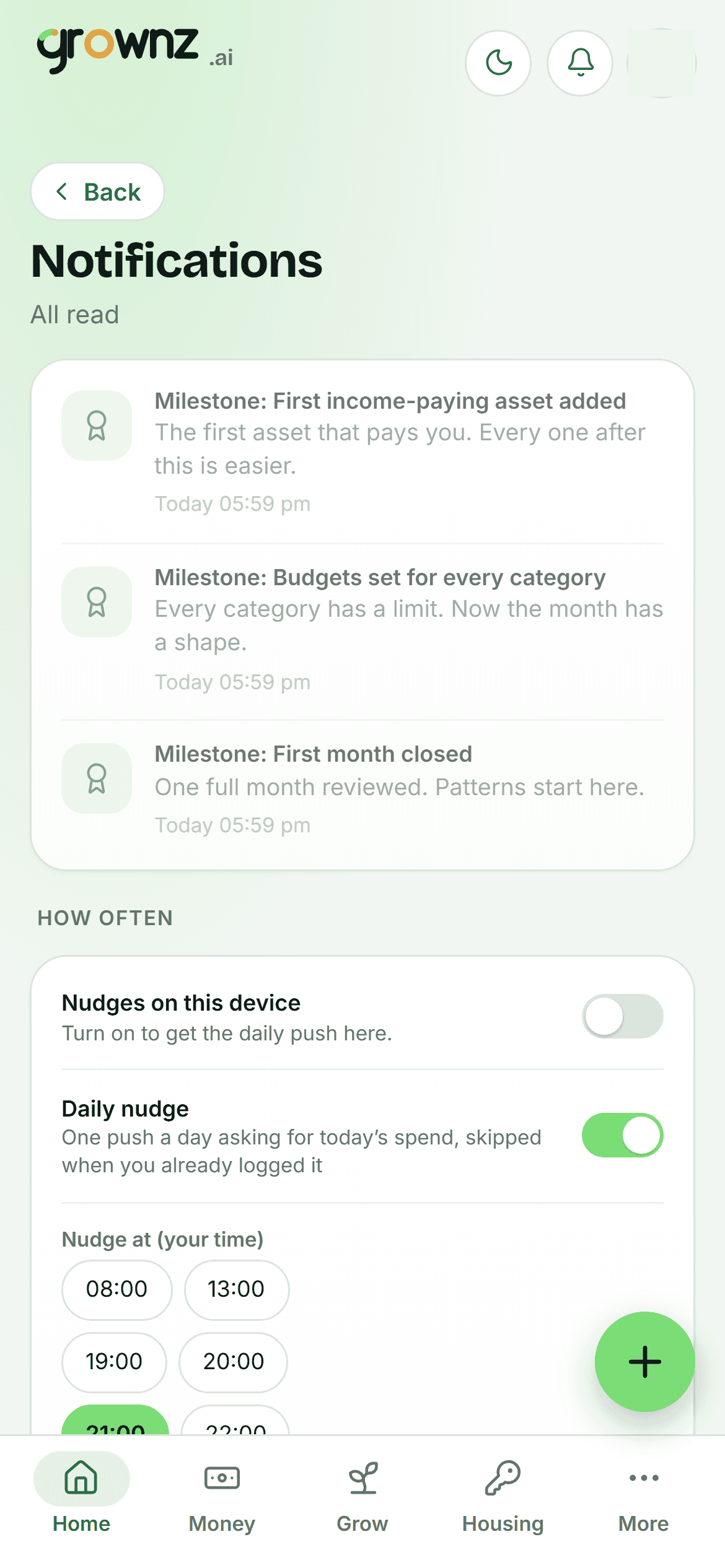
Notifications: milestones as they land, and the daily nudge
The moment
Unlock a stage, get a small celebration.
Once per stage, on Home, the day the last milestone lands. Then it gets out of the way.
Milestone rules are the product’s current starting point and can change as Grownz learns. They are listed here so you always know what is left.
Stage unlocked
Growing
Budgets set for every category and your first month closed. Stage 3 of 5 is open.
example